
Bianca Censori posing in Paris, showcasing modern fashion.
Elon Musk and MacKenzie Scott at a public event.
Applying sunscreen on a woman's cheek for sun protection.

Homepage

An Apple Expert Tells Us How To Make Your iPhone Battery Last As Long As Possible

July 18, 2025 by Lisa Cupido
shefinds | Homepage
Featured image

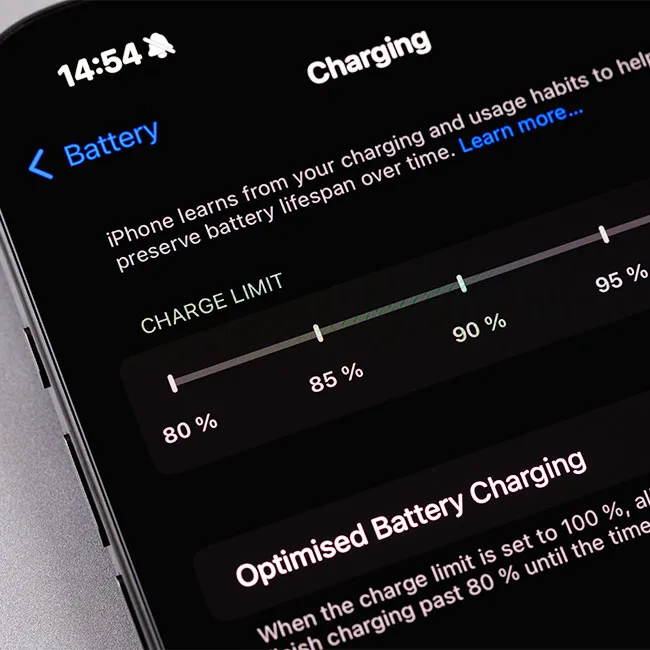
If you’ve ever glanced at your iPhone battery percentage and felt like it’s draining faster than it should, you’re not alone. iPhone batteries can be surprisingly fickle — one day lasting all afternoon, and the next barely making it to lunch. While some battery wear is inevitable over time, a lot of what shortens battery life comes down to daily habits. The way you charge your phone, the apps you run, and even certain settings can all have a bigger impact than you might think.

With a few mindful tweaks, you can help preserve your battery’s health and extend the time between charges. From avoiding common charging mistakes to optimizing your phone’s settings, small changes can lead to noticeably better performance. And Apple experts have been telling us all along that it’s possible to make simple changes for a longer-lasting battery:

If you want your iPhone to keep up with your day (instead of dying halfway through it), try changing these three settings.

house unit img
Women Are Swapping Their Boring Water For This Ice Pop Electrolyte Mix!
iphone-display-brightness

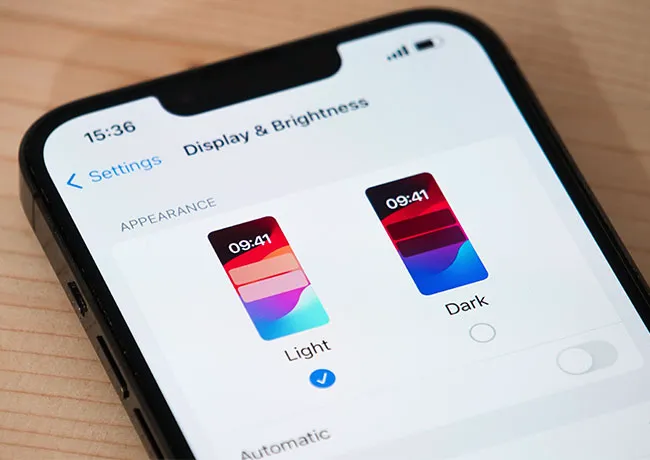
1. Lower Screen Brightness


Your iPhone’s display is one of the biggest battery drainers, especially if its brightness is set too high. A screen that’s constantly at full brightness uses far more power than necessary — even in well-lit environments. To help your battery last longer, manually lower your screen brightness by swiping down to access the Control Center and adjusting the brightness slider. You can also enable Auto-Brightness in Settings > Accessibility > Display & Text Size so your phone adjusts brightness based on your surroundings.
iphone-background-app-refresh

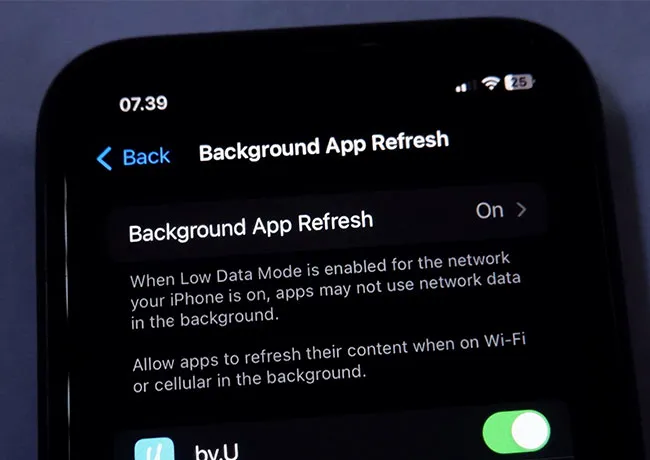
2. Disable Background App Refresh


Background App Refresh allows apps to update content even when you’re not using them — this sounds helpful, but it can slowly drain your battery throughout the day. Apps like social media, email, and news often refresh unnecessarily, using both data and power. To conserve energy, go to Settings > General > Background App Refresh and either turn it off completely or limit it to only essential apps. Choosing “Wi-Fi only” instead of “Wi-Fi & Cellular” is another way to reduce energy.
iphone-disable-location-services

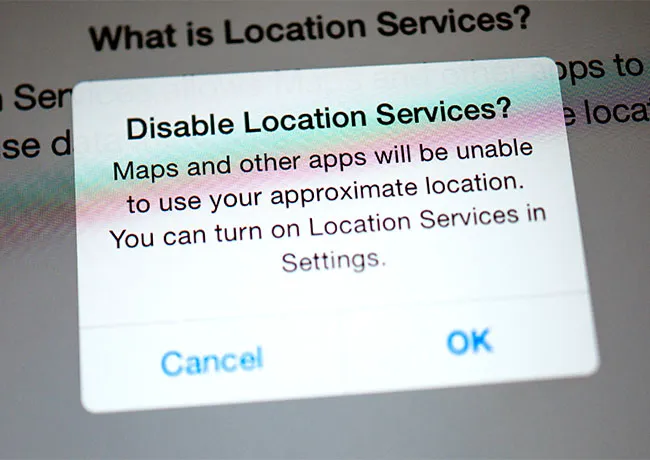
3. Limit Location Services


While GPS features are convenient for maps, weather, and social media check-ins, having location on for all apps is a major battery killer. Some apps track your location even when you’re not using them — unnecessarily draining power. To take control, go to Settings > Privacy & Security > Location Services and review which apps are allowed access. Switch any non-essential apps from “Always” or “While Using” to “Never,” or use “Ask Next Time” for more control.


Author:

Lisa Fogarty is a lifestyle writer and reporter based in New York who covers health, wellness, relationships, sex, beauty, and parenting.

Older woman stretching at home before workout session.
Donald Trump addressing media during Oval Office press conference.
Anne Hathaway at the Cannes Film Festival premiere.
Chic summer finds for festive Fourth of July celebrations.
White House Press Secretary Karoline Leavitt discussing Iran conflict.
Jaden Smith at the BoF 500 gala event.
Man holding an iPhone in a casual setting.
Christina Aguilera at the 11th Annual Breakthrough Prize Ceremony.
Kate Middleton and Prince George attending a royal event.
Apple Martin at the Marty Supreme premiere event.
Paris Hilton at Los Angeles Magazine event, stunning appearance.
Rob Kardashian celebrating at the Chymoji launch party.
Donald Trump and the White House backdrop during event.
Carrie Underwood performing at CMT Giants event.
Janet Jackson performing at the music awards.
Concerned woman examining her skin for signs of aging
Ines de Ramon attending the F1 premiere.
J.K. Rowling alongside Queen Camilla at a function.
Stylish woman using a laptop for work or leisure.
Makeup habits that can age your appearance after 40.
Older woman stretching at home before workout session.
Donald Trump addressing media during Oval Office press conference.
Anne Hathaway at the Cannes Film Festival premiere.
Chic summer finds for festive Fourth of July celebrations.

Fashion

What are your July 4th plans? Mine involve chasing around ...

White House Press Secretary Karoline Leavitt discussing Iran conflict.
Jaden Smith at the BoF 500 gala event.
Man holding an iPhone in a casual setting.
Christina Aguilera at the 11th Annual Breakthrough Prize Ceremony.
Kate Middleton and Prince George attending a royal event.
Apple Martin at the Marty Supreme premiere event.
Paris Hilton at Los Angeles Magazine event, stunning appearance.
Rob Kardashian celebrating at the Chymoji launch party.
Donald Trump and the White House backdrop during event.
Carrie Underwood performing at CMT Giants event.
Janet Jackson performing at the music awards.
Concerned woman examining her skin for signs of aging
Ines de Ramon attending the F1 premiere.
J.K. Rowling alongside Queen Camilla at a function.
Stylish woman using a laptop for work or leisure.
Makeup habits that can age your appearance after 40.