




When you have an iPhone, you know how much easier life is when your battery is at a healthy percentage.
Those times when it’s too low can be quite frustrating and stressful, because not only can your device begin to slow down, but you’re also limited in terms of your activity. This is why it’s important to ensure that you’re doing everything you can to preserve your iPhone battery health, and you can start by making sure you have helpful settings turned on. Read more about the one setting tech pros suggest having on to preserve battery health below.

The Difference Between Dragging Through Your Day And Feeling Great On Your Feet? These Arch Support Insoles
The iPhone Setting You Should Turn On To Preserve Battery Health
There are few feelings worse than when you need to use your iPhone for something important, like calling someone with a question, for help, or to get directions when you're lost, etc. That's why iPhone users are encouraged to learn those habits that can help not only keep their battery percentage high for as long as possible, but also to preserve their battery in general.
Regarding those habits, there are several things you can do. They include using high-quality Apple chargers, avoiding using your iPhone while charging it, not leaving your phone plugged in overnight, etc. However, it's also a very good idea to check your settings to ensure you're optimizing your battery health.
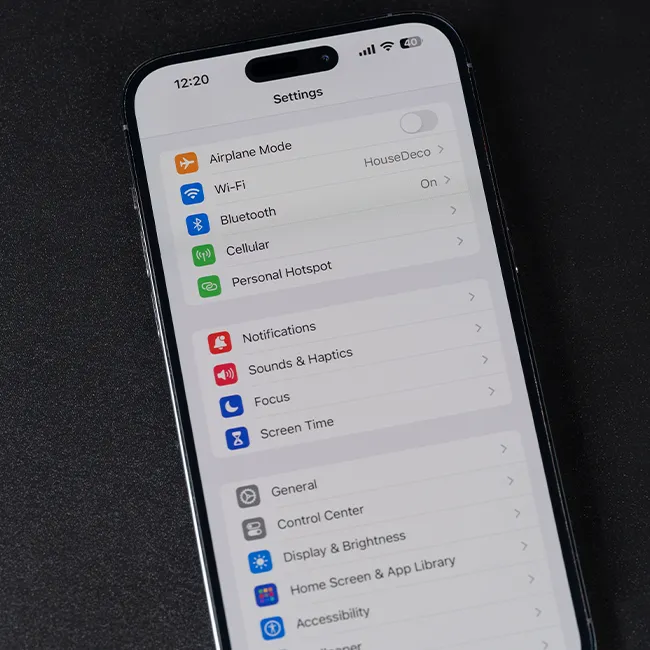
One of the settings tech pros suggest ensuring is on to preserve battery life, and health is Auto-Brightness, as your iPhone's display can have a bigger impact on its battery than most users may think.
"Running the screen at maximum brightness or leaving it on for long periods drains the battery quickly," explains tech expert Steven Athwal. "Enabling Auto-Brightness and shortening the Auto-Lock time ensures the screen dims and turns off when you're not using it, which can help your battery stretch throughout the day, or multiple days."
Additionally, tech pro Tomas Novosad describes Auto-Brightness as being one of the "first settings" he'd ensure is turned on.
"The display consumes the most power of any component in a smartphone; iPhones are no exception," he adds. "I generally recommend people turn down the brightness to a comfortable level [because] too much light is also harsh on your eyes, and activate Auto Brightness to allow the screen to adjust its brightness based on the lighting of your surroundings. Matching brightness to outdoor light keeps the screen from being power hungry, and even just being calibrated to real conditions saves battery life, too."